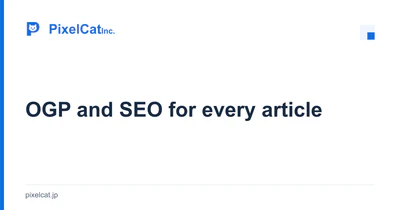
Create images alongside the article.
Insights & updates images are 1200 × 630 pixels. We use white, brand blue, navy and our existing logo, with a large article title. Tags and dates stay in the article rather than crowding the image. The same image appears in the article listing for a consistent introduction.
Because the images are mainly text and shapes, we use SVG originals to generate PNG files. We read the title from the source, then inspect the actual image for readability at preview size. When an image changes, we change its filename to make stale previews easier to avoid.
Align content and page metadata.
Each article has a title, description and canonical URL. Open Graph and Twitter card metadata describe its shared preview, including the image URL, dimensions and alternative text.
Article JSON-LD uses BlogPosting and breadcrumbs. The heading, actual initial publication and update dates, author, image and tags match the visible content. Structured data helps explain the content; it does not guarantee a particular search appearance.
Check the connections before publishing.
- Content & headings Publishable facts and the article’s subject
- Images & metadata OGP, description, canonical & JSON-LD
- Publication links article listing, internal links & sitemap
Only published articles enter the article listing and sitemap. Modification dates follow actual content changes, and we do not create empty tag pages for search. Tags categorize articles and filter the listing. Search and filter results stay on the same listing, whose canonical URL is unchanged.
After the build, we verify image dimensions, agreement between canonical URLs and structured data, links from the listing, and HTTP responses. Metadata alone does not determine indexing or rankings. Search visibility after publication needs separate checks, for example in Search Console.